What players say
Finger Runner 3D delivers a fresh take on endless runners with its humorous finger theme. The controls are responsive, and the challenge of balancing collection with avoiding giant heads keeps each round interesting. The upgrade system rewards persistence, and the colorful visuals are appealing. It is a great game for short breaks and casual fun.
About this game
Game Introduction
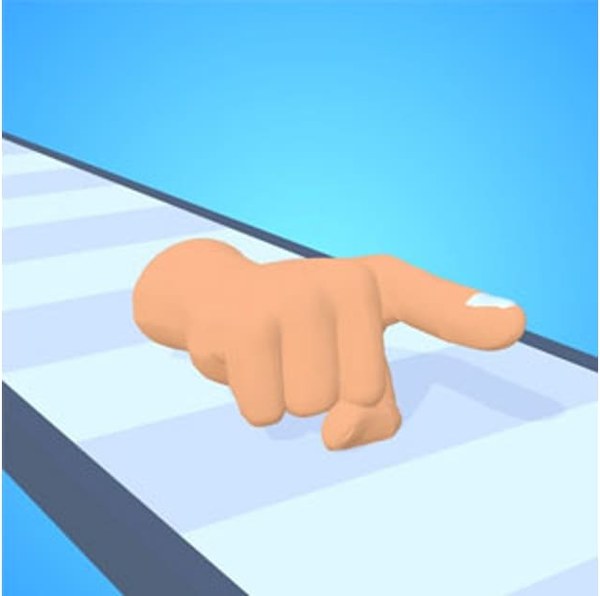
Finger Runner 3D is a lighthearted arcade game where you control a giant index finger racing along a colorful track. The core objective is to collect scattered fingertips to make your finger longer while avoiding obstacles. As you progress, giant heads appear and may cause your finger to shrink if you interact with them. The game also features dye gates that change your finger's color. At the end of each run, your finger's length is tested against a set of stairs, determining how far you can climb. This game combines simple mechanics with a silly theme, making it a fun choice for quick play sessions.
How to Play
Players typically swipe left or right to move their finger across the track. The goal is to collect as many fingertips as possible to increase your length. You should avoid the giant heads; if you must pass near one, choose the side with the lower number above it to minimize loss. Enter dye gates to customize your finger's color. At the finish, your finger's length affects your stair-climbing performance. Earn diamonds during runs to upgrade your starting status, giving you an advantage in future games.
Game Features
Features include vibrant 3D graphics, a responsive viewpoint that follows your finger, and a funny theme with colorful visuals. The controls are intuitive, requiring only swipes, and the upgrade system adds replay value. The game is family-friendly and suitable for casual players. It may include various obstacles and collectibles that enhance the running experience. The unblocked version allows play on many networks.
Tips for Success
To succeed, practice swiping accurately to collect fingertips while avoiding obstacles. Focus on collecting as many fingertips as possible early on to increase your length. When approaching giant heads, quickly assess the numbers to choose the safer side. Use dye gates strategically for fun customization. Save diamonds to upgrade your starting status, which can give you a head start in future runs. Regular practice will help you master the timing and improve your stair-climbing distance.