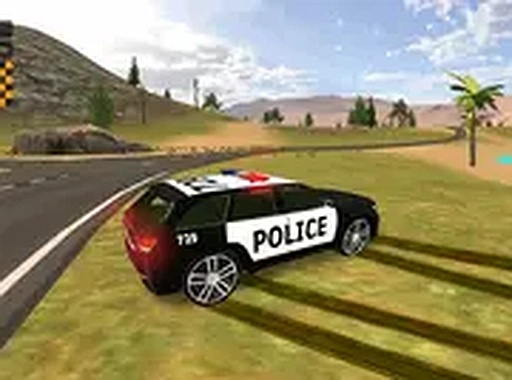
Urban Traffic Navigation Simulator

Urban Traffic Navigation Simulator

Driving Racing Arcade

Reviews

Urban Traffic Navigation Simulator offers a straightforward driving experience that focuses on route following and time management. The gradual increase in route complexity provides a satisfying learning curve. The neon-lit city visuals are appealing without being distracting. Vehicle unlocks give players a clear goal to work toward. This game works well for short play sessions and requires no commitment, making it a solid choice for casual driving fans.

About this game

Street Navigation Basics

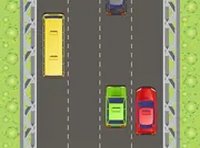
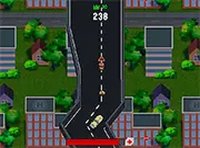
Players control a vehicle using keyboard inputs to move through urban environments. The primary goal is to follow designated routes while avoiding other cars and obstacles. Each session presents a new path that requires attention to steering and speed. The game uses a simple control scheme where arrow keys or WASD manage direction, and a special key activates drifting for sharper turns. This setup makes the experience accessible while still demanding focus to complete each route successfully.

Mission Structure & Timing

Every mission has a specific target location and a time limit. Players must balance maintaining good speed with careful maneuvering to avoid collisions. The routes become more complex as progress is made, introducing tighter corners and denser traffic. This gradual increase in difficulty helps players build their skills naturally. Completing missions within the time limit earns points that contribute to unlocking new vehicles, providing a clear sense of achievement.

Visual Design & Atmosphere

The city environment features brightly lit streets and clear road markings, creating an engaging backdrop for driving. The neon-style lighting gives the game a modern feel without any mature themes, making it suitable for all ages. The visual clarity helps players spot obstacles and plan their path ahead. Full-screen mode is available for those who want a more immersive view, and the game runs smoothly in standard desktop browsers without any downloads.

Vehicle Progression System

As players complete missions and accumulate points, new vehicles become available. This progression adds variety to the gameplay and gives players a reason to keep improving. Each vehicle may handle differently, encouraging players to adapt their driving style. The ranking system tracks overall performance, allowing players to set personal goals and measure their improvement over time. This structure keeps the experience fresh and rewarding for repeated play.


Compatibility

▸ Desktop: Chrome / Edge / Firefox / Safari
▸ Mobile: iOS Safari / Android Chrome
▸ Tablet: iPadOS Safari / Android Tablet Browser
Keep your browser updated for the best experience

FAQ

What are the system requirements for Urban Traffic Navigation Simulator?
The game runs in any modern desktop web browser with JavaScript enabled. A stable internet connection is recommended for smooth performance. No downloads or installations are needed. Full-screen mode requires a browser that supports full-screen API.
Can I play Urban Traffic Navigation Simulator on a mobile device?
The game is designed primarily for desktop computers with a keyboard. Mobile browsers may not support the control scheme effectively. For the best experience, use a laptop or desktop computer with a physical keyboard.
How do I unlock new vehicles in the game?
New vehicles become available after completing certain missions and earning enough points. The exact requirements vary for each vehicle. Check the in-game progress screen to see which missions or point totals unlock the next vehicle.
Is there a way to pause the game during a mission?
Most browser-based games of this type include a pause feature. Look for a pause button on the screen or check the game's settings menu. Pausing can help you plan your next move, especially on complex routes.
What happens if I crash into another car or obstacle?
Collisions may slow down your vehicle or cause a brief delay. The game typically allows you to continue after a crash, but it costs valuable time. Repeated crashes might make it impossible to complete the mission within the time limit.
Does the game include any in-app purchases or ads?
Urban Traffic Navigation Simulator is completely free to play with no in-app purchases. The game may include standard online advertisements to support its development, but these do not affect gameplay. No personal information is required to play.

Comments

0 comments
U
User
Loading comments...

Similar Products

Precision Tap Balance

Casual Arcade Reflexes

PLAY NOW

Santa's Helper Gift Roundup

Arcade Animal Hyper Casual

PLAY NOW

Monkey Max Leap Runner

Arcade Animal Skill

PLAY NOW

Aquatic Dash: Ocean Runner

Arcade Marine Life Underwater

PLAY NOW

Traffic Flow Speedster

Driving Racing Arcade

PLAY NOW

Winter Trail Puzzle Journey

Arcade Seasonal Puzzle

PLAY NOW

Traffic Dash Arcade

Driving Racing Arcade

PLAY NOW