Bright Buddies Speed Run

Bright Buddies Speed Run

Engaging Family-Friendly Skill-Based

Reviews

Bright Buddies Speed Run stands out for its responsive controls and well-paced difficulty. The course designs gradually introduce new obstacle patterns, keeping each race engaging without feeling overwhelming. The local two-player mode works smoothly on a single keyboard, making it a great choice for siblings or friends. Unlocking new characters provides a steady sense of progression. The bright art style and bouncy physics give the game a cheerful tone that suits players of all ages. A solid pick for quick, fun racing sessions.

About this game

Course Design & Atmosphere

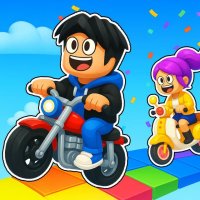
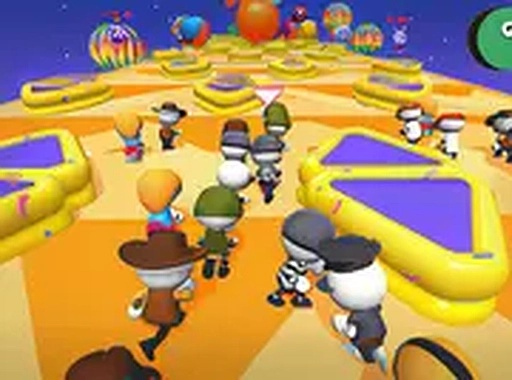
Each track in Bright Buddies Speed Run presents a distinct layout filled with moving barriers, spinning platforms, and narrow pathways. The visual style uses bright, saturated colors that make obstacles easy to spot from a distance. Backgrounds shift between sunny meadows, icy caverns, and neon-lit cityscapes, keeping each race visually fresh. The courses are designed to test both memory and reaction time, as hazards appear in predictable patterns that players can learn over repeated attempts.

Character Control & Movement

Players steer their chosen buddy using keyboard arrows or mouse clicks. The character responds instantly to input, allowing for precise dodges and quick accelerations. Each buddy has the same base speed, so success depends on the player's ability to navigate tight corners and time jumps over gaps. The physics feel light and bouncy, adding a playful tone to the competition. Collisions with obstacles cause a brief stun rather than a full reset, keeping the action flowing.

Competition Modes

Three main modes offer variety. In single-player, you race against computer-controlled opponents that adapt to your skill level. The online mode matches you with other players in real-time races. A local two-player mode lets a friend join on the same keyboard, with each player using a separate set of keys. Each mode tracks your best finish positions and awards coins based on performance, encouraging repeated play to improve results.

Progression & Customization

Coins earned from races and achievements can be spent in the in-game shop. Available items include alternate color schemes for existing characters and entirely new buddy designs, such as a robot cat or a pineapple with legs. These unlocks are purely cosmetic and do not affect gameplay, keeping the competition fair. The shop rotates its selection periodically, giving regular players a reason to check back for new options.

Learning Curve & Accessibility

New players can complete their first race within seconds of loading the game. The controls are explained through simple on-screen prompts, and the first few courses have fewer obstacles to allow for practice. As players advance, courses introduce more complex obstacle sequences and tighter time windows. The difficulty ramp is gradual, so both casual players and those seeking a challenge can find a comfortable pace. No prior experience with racing games is required.

Compatibility

• OS: Windows 10+, macOS 11+, iOS 14+, Android 10+
• Browsers: Chrome 100+, Safari 15+, Edge 100+, Firefox 100+
• Not compatible with Internet Explorer
Tested on real devices ✅ works as expected

FAQ

Is Bright Buddies Speed Run available on mobile devices?
The game is designed for desktop browsers and requires a keyboard or mouse for controls. It is not currently optimized for touchscreens or mobile devices. Players can access it through any modern web browser on a computer.
Do I need to create an account to play Bright Buddies Speed Run?
No account is required to start racing. You can jump into single-player or two-player mode immediately. Online multiplayer may ask for a temporary nickname, but no personal information is collected. Progress is saved locally in your browser.
How many characters can I unlock in Bright Buddies Speed Run?
The game includes a base roster of six starting characters. Additional characters and skins can be unlocked using coins earned from races. The exact number of unlockable items may expand as new content is added. Each character has a unique visual design.
Can I play Bright Buddies Speed Run offline?
The game requires an internet connection to load initially. Once loaded, single-player and two-player modes may work offline, but online multiplayer and coin tracking depend on a stable connection. For best results, play with an active internet connection.
Are there in-app purchases or ads in Bright Buddies Speed Run?
The game is completely free to play with no in-app purchases. Some sessions may include optional video ads that players can watch to earn bonus coins. These ads are not required to progress and can be skipped. No real money is involved.
How does the two-player mode work on one keyboard?
In two-player mode, Player 1 uses the arrow keys to control their character, while Player 2 uses the W, A, S, D keys. Both players race on the same course simultaneously. This mode is ideal for friendly competition at home without needing additional controllers.

Comments

0 comments
U
User
★ ★ ★ ★ ★
Loading comments...

Similar Products

Dragon Flight Quest

Adventure Family-Friendly

PLAY NOW

Royal Speedway Racing Adventure

Roblox racing family-friendly

PLAY NOW

Obstacle Course Party Online Game

obstacle course party game online multiplayer

PLAY NOW

Peaceful Lake Fishing Adventure

Exclusive Relaxing Upgrade

PLAY NOW

Heroic Dash Adventure Runner

Action Endless Runner Family-Friendly

PLAY NOW

Jelly Swirl Puzzle Quest

Puzzle Match-3 Casual

PLAY NOW

Temple Leap

Reflex Arcade Endless Runner

PLAY NOW

Happy Rabbit Jumping Adventure

Arcade Platformer Casual

PLAY NOW