Color Spin Toss

Color Spin Toss

Reflex Color Sorting Arcade

Reviews

Color Spin Toss delivers a satisfying challenge that is easy to learn but hard to master. The core mechanic—tossing colored disks to matching sides—is simple, yet the increasing speed keeps you on your toes. The bright 3D visuals are clean and helpful, and the power-ups add a nice strategic layer without complicating the experience. It is a perfect quick-play game for short breaks, and the lack of a fixed end point gives it strong replay value. A solid choice for casual gamers who enjoy testing their reflexes.

About this game

Core Gameplay Loop

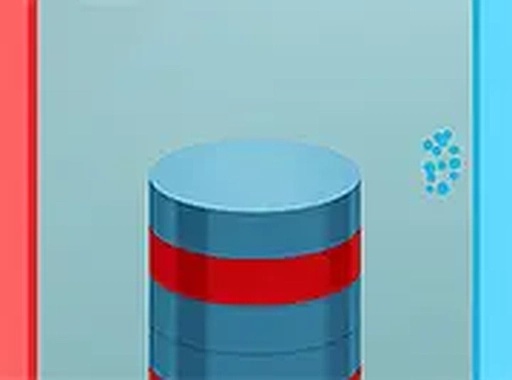
In Color Spin Toss, players stand atop a column of colored disks. Each disk displays either a red or blue hue. The objective is to toss each disk to the matching side—left for red, right for blue. A correct throw adds to the score and fills a special meter. A miss or wrong side ends the run. The tower rises with each success, making the game faster and more demanding.

Visual Design and Feedback

The game uses bright, saturated colors that make hue identification instant. Clear visual cues—like a flash on correct throws and a subtle shake on misses—keep players informed. The 3D perspective gives depth to the tower, helping players gauge distance and timing. The clean interface avoids clutter, letting you focus on the task at hand.

Power-Ups and Boosts

During play, special items appear that can temporarily aid your progress. For example, a slow-motion power-up reduces the game speed for a few seconds, giving you breathing room. Another boost might double points for a short period. These items appear randomly and can be collected by tossing a disk through them. Using them wisely can extend your session and push your score higher.

Progression and Challenge

The difficulty ramps up naturally. Early rounds are slow, letting you get comfortable with the controls. As your streak grows, disks appear faster and the tower becomes taller, requiring quicker decisions. There is no set level limit—the game continues until a mistake ends the run. This creates a high replay value, as each attempt feels fresh and the challenge adapts to your skill.

Accessibility and Controls

Color Spin Toss works on both desktop and mobile devices. On a computer, use the mouse to aim and click to throw. On a touch screen, simply tap and drag. The controls are responsive and intuitive, making the game easy to pick up for players of any age. The simple input method ensures that the focus stays on the color-matching challenge, not on complex button combinations.

Compatibility

✅ This game supports:
- Desktop browsers (Chrome, Edge, Safari)
- Mobile browsers (Chrome on Android, Safari on iOS)
❌ Does NOT support: - Internet Explorer - Very old browser versions
👉 Try refreshing or updating your browser

FAQ

What happens when I miss a disk in Color Spin Toss?
If you throw a disk to the wrong side or miss the target entirely, the game ends immediately. Your final score is based on the number of disks you correctly sorted before the mistake. There are no second chances or continues, so accuracy is crucial.
Can I play Color Spin Toss offline?
Yes, Color Spin Toss can be played offline once it is downloaded. The game does not require an internet connection for its core gameplay. However, some features like leaderboards or sharing scores may need a connection. Check the game's settings for offline mode availability.
Does Color Spin Toss have a leaderboard?
Many versions of Color Spin Toss include a global leaderboard where you can compare your high score with other players. This feature typically requires an internet connection. The leaderboard adds a competitive element, encouraging you to improve your reaction time and accuracy.
Is Color Spin Toss suitable for children?
Yes, Color Spin Toss is designed for players of all ages. The gameplay is simple and non-violent, focusing on color recognition and quick reflexes. There is no inappropriate content, making it a safe choice for children. Parents can feel comfortable allowing kids to play.
How can I improve my score in Color Spin Toss?
Practice is key. Focus on the color of the top disk before you throw. Try to maintain a steady rhythm—rushing often leads to mistakes. Watch for power-ups that appear, as they can give you a temporary advantage. Taking short breaks between sessions can help keep your mind sharp.
Are there different difficulty modes in Color Spin Toss?
The game typically offers a single endless mode where difficulty increases gradually based on your performance. Some versions may include a practice mode with slower speed for beginners. Check the game's menu for any additional modes that might be available.

Comments

0 comments
U
User
★ ★ ★ ★ ★
Loading comments...

Similar Products