Keyboard Music Playground

Keyboard Music Playground

Interactive Creative Educational

Reviews

Keyboard Music Playground succeeds by removing barriers to music making. The direct keyboard-to-note mapping is intuitive, and the song tutorials provide a clear path for beginners. The animated sound companions add a layer of whimsy that keeps younger players engaged without feeling gimmicky. Its cross-device compatibility and free access make it a practical tool for anyone curious about piano basics.

About this game

Core Interaction Model

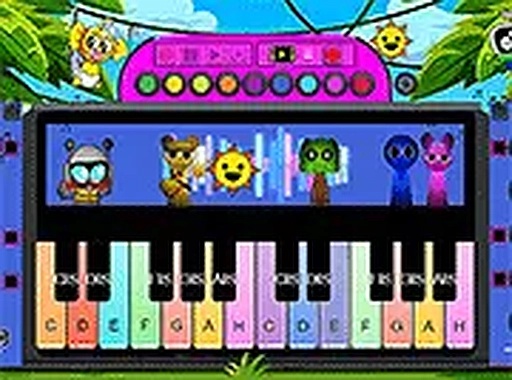
Every key on your computer keyboard corresponds to a piano note, displayed on a colorful on-screen keyboard. Pressing a key immediately produces a clear tone, allowing you to string notes together in real time. This direct mapping makes it easy to understand how individual sounds combine into melodies. The interface responds instantly, so there is no lag between pressing a key and hearing the result.

Structured Song Tutorials

For those who prefer guided learning, the studio offers step-by-step lessons for popular tunes. Each song is broken into short segments, with highlighted keys showing exactly which notes to press. You can repeat any section as many times as needed, progressing at your own speed. This method helps build note recognition and muscle memory without requiring any prior music knowledge.

Animated Audio Companions

During play, whimsical animated characters appear and add their own sound effects to the music. Each character produces a unique tone or rhythm, layering unexpected textures onto your playing. Their reactions to your key presses provide visual and audio feedback, keeping the experience engaging for younger users while encouraging creative exploration.

User-Friendly Interface

The design prioritizes clarity and accessibility. Large, brightly colored keys are clearly labeled, and a full-screen option removes distractions for focused practice. No downloads, registrations, or payments are required, making it easy to start playing immediately. The studio works across desktop and mobile browsers, ensuring consistent access on different devices.

Open-Ended Creativity

Beyond structured lessons, the studio encourages free experimentation. You can combine notes in any order, try different chord combinations, and discover your own musical patterns. There are no scores, timers, or penalties, so mistakes become part of the creative process. This stress-free approach supports long-term engagement and skill development at your own pace.


Compatibility

This H5 game runs smoothly on:
• Desktop computers (Windows / Mac) • Mobile phones (iPhone / Android)
• Tablets (iPad / Android)
🌐 Best experienced with Chrome, Safari, or Edge

FAQ

Do I need any musical experience to use Keyboard Music Playground?
No prior music training is required. The studio is designed for complete beginners. The visual keyboard and step-by-step song tutorials make it easy to start playing and learning notes from the first session.
Can I use Keyboard Music Playground on a tablet or smartphone?
Yes, the studio works on mobile browsers as well as desktop computers. The interface adapts to touch input, so you can tap the on-screen keys directly on your tablet or phone.
Is there a cost to use Keyboard Music Playground?
No, the studio is completely free to use. There are no subscriptions, in-app purchases, or hidden fees. All features, including song tutorials and animated companions, are accessible without payment.
What kind of songs can I learn in the tutorials?
The tutorials include a selection of popular and traditional tunes that are broken down into easy-to-follow steps. The exact song list may vary, but they are chosen to be recognizable and enjoyable for a wide age range.
How do the animated companions affect the music?
Each animated character adds its own unique sound effect, such as a chime, drum beat, or harmony, which layers onto the notes you play. They react to your key presses, creating a dynamic and playful audio experience.
Can I record or save the music I create?
The studio focuses on live play and does not include a built-in recording feature. However, you can use external screen recording software on your device if you wish to capture your performances.

Comments

0 comments
U
User
★ ★ ★ ★ ★
Loading comments...

Similar Products

Dragon Flight Quest

Adventure Family-Friendly

PLAY NOW

Royal Speedway Racing Adventure

Roblox racing family-friendly

PLAY NOW

Obstacle Course Party Online Game

obstacle course party game online multiplayer

PLAY NOW

Holiday Egg Coloring Fun

Kids Coloring Creative

PLAY NOW

Physics Stunt Builder Game

Action Physics Puzzle

PLAY NOW

Temple Leap

Reflex Arcade Endless Runner

PLAY NOW

Happy Rabbit Jumping Adventure

Arcade Platformer Casual

PLAY NOW