Starlight Festival Leap

Starlight Festival Leap

Sponge Ember Games
2024-04-19
2026-07-30
Adventure Platformer

Reviews

Starlight Festival Leap delivers a polished platforming experience that prioritizes fun over frustration. The controls feel responsive, and the gradual difficulty curve makes it accessible for newcomers. The pixel art is bright and detailed, with each level offering a new visual treat. Automatic saving is a thoughtful addition for casual players. While the game is not long, its quality makes it worth revisiting. A solid choice for anyone seeking a lighthearted browser game.

About This Game

Core Gameplay Loop

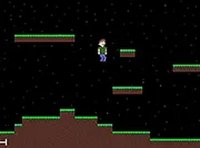
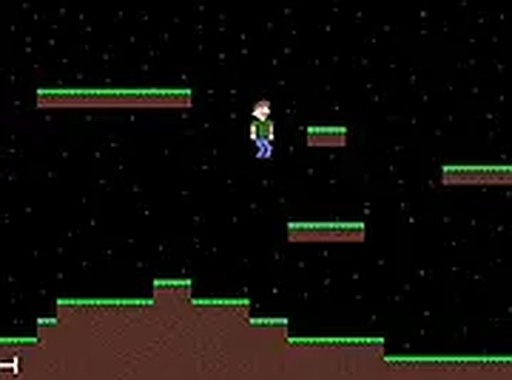
Starlight Festival Leap focuses on guiding a character from left to right across a series of platforms. Each stage presents a new arrangement of ledges, gaps, and collectible items. The primary action is jumping at the right moment to land safely on the next platform. Missing a jump means starting the section over, but the game saves progress between major checkpoints. This structure encourages players to learn the rhythm of each level without punishing mistakes too harshly.

Visual Style and Atmosphere

The game uses pixel art graphics with a space theme. Backgrounds feature stars, planets, and colorful nebula patterns. Character animations are bouncy and expressive, adding a lighthearted feel. The color palette shifts between levels, keeping the visual experience fresh. The overall tone is upbeat, with no dark or scary elements, making it suitable for younger players.

Controls and Accessibility

Movement is handled with the keyboard arrow keys or the A and D keys. The spacebar or up arrow triggers a jump. The controls are responsive, allowing for precise positioning. A full-screen mode is available to improve visibility. The main menu includes a brief controls guide for new players. No special hardware or downloads are required, as the game runs entirely in a web browser.

Progression and Save System

As players complete levels, new stages become available. The game automatically saves progress when a level is finished or when the player exits to the menu. This allows for short play sessions without losing progress. The difficulty curve is gentle, with early levels focusing on basic jumps and later levels introducing more complex platform arrangements.

Family-Friendly Design

The content is designed to be appropriate for all ages. There is no violence, scary imagery, or complex themes. The objective is simply to reach the end of each level while collecting items. The cheerful music and colorful visuals create a relaxed atmosphere. This makes the game a good choice for parents looking for safe entertainment for children.

Compatibility

✅ This game supports:
- Desktop browsers (Chrome, Edge, Safari)
- Mobile browsers (Chrome on Android, Safari on iOS)
❌ Does NOT support: - Internet Explorer - Very old browser versions
👉 Try refreshing or updating your browser

Faq

Is Starlight Festival Leap free to play?
Yes, the game is completely free. There are no hidden costs or in-app purchases. Players can access all available levels without paying anything. The game runs in a web browser, so no download or subscription is needed.
What devices can I play Starlight Festival Leap on?
The game is optimized for desktop computers with a keyboard and mouse. It runs in modern web browsers like Chrome, Firefox, and Edge. It may not work well on mobile devices or tablets due to the control scheme.
How long does it take to finish the game?
The total playtime depends on the player's skill level. Most players can complete the available levels in one to two hours. Since the game saves progress, it can be played in multiple short sessions.
Does the game have any music or sound effects?
Yes, Starlight Festival Leap includes background music and sound effects for jumping and collecting items. The audio is upbeat and matches the cheerful space theme. Players can adjust the volume from the settings menu.
Can I play Starlight Festival Leap with a controller?
The game is designed for keyboard and mouse input. Controller support is not mentioned in the game's instructions. For the best experience, use a standard keyboard with arrow keys or the WASD layout.
What happens if I close the browser mid-level?
The game saves progress automatically when you complete a level or exit to the main menu. If you close the browser during a level, you may lose progress from that specific run. It is best to finish a level or return to the menu before closing.